Photography is a beautiful blend of art and technical understanding, and at its heart lies the art of managing light. Among the foundational camera settings, ISO plays a crucial role in determining how sensitive your camera’s sensor is to light. Learning how to use ISO settings correctly guide for beginners is a pivotal step towards capturing well-exposed and visually appealing images, regardless of the lighting conditions you face. This comprehensive guide will demystify ISO, helping you unlock your camera’s full potential and improve your photography significantly.

Understanding how to use ISO settings correctly guide for beginners is about more than just making a picture brighter or darker; it’s about making informed choices to achieve optimal image quality. It impacts not only exposure but also the clarity and detail in your photographs. By grasping the principles outlined here, you can confidently navigate various shooting scenarios, ensuring your photos always look their best.
Understanding the Core of Light Sensitivity: What Exactly Is ISO?
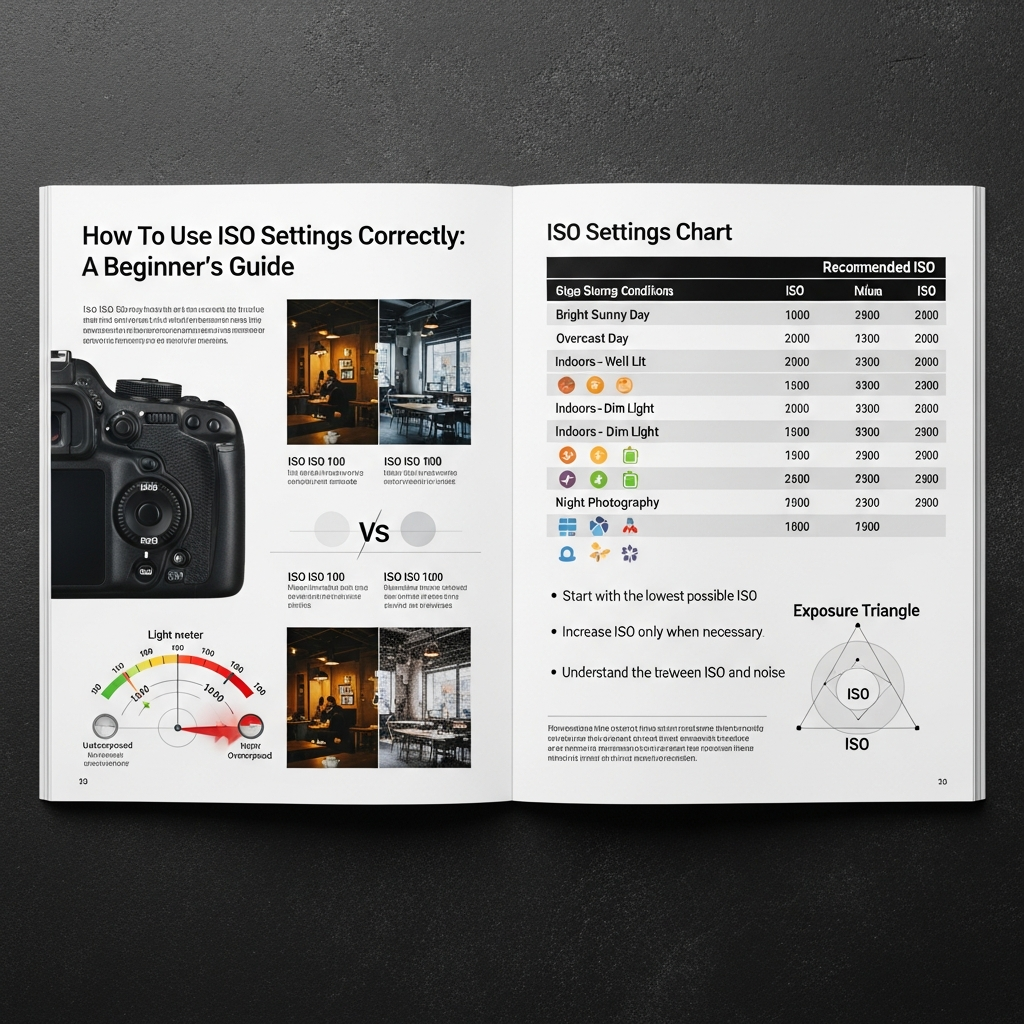
ISO in photography refers to your camera sensor’s sensitivity to light. It is one of the three primary elements of the “exposure triangle,” alongside aperture and shutter speed, all working in concert to determine the brightness of your photograph. Adjusting the ISO setting essentially tells your camera how much to amplify the light signal it receives.
What ISO Stands For
ISO is an acronym for the International Organization for Standardization. In the realm of photography, this refers to a standardized system used to measure a camera sensor’s responsiveness to light. Originally, the term “ISO” (or its predecessor, ASA) was used to rate the sensitivity of film in traditional cameras. A higher ISO number indicated a more sensitive film. While digital cameras no longer use film, the terminology and numerical scale remain the same, providing a consistent measure for light sensitivity across different cameras and brands.
The Digital vs. Film Evolution
In the days of film photography, the ISO sensitivity was fixed with each roll of film you loaded into your camera. If you needed to shoot in different light conditions, you would literally have to change your roll of film to one with a different ISO rating. This was a cumbersome process, especially in rapidly changing environments. However, digital cameras revolutionized this by allowing photographers to change the ISO setting for every single shot, offering unparalleled flexibility and creative control. This dynamic adjustability is a cornerstone of modern digital photography, enabling quick adaptation to diverse lighting without needing to swap out equipment.
ISO Values and Their Meaning (Doubling Effect)
ISO values are represented by numbers, typically starting from a base of 50, 100, or 200, and increasing in a doubling sequence: 100, 200, 400, 800, 1600, 3200, and so on. Each step up the ISO scale doubles the sensor’s sensitivity to light. For instance, ISO 200 is twice as sensitive as ISO 100, and ISO 400 is twice as sensitive as ISO 200, meaning it requires half the amount of light to achieve the same exposure. This doubling scale is incredibly helpful for quickly adjusting your exposure in the field, much like turning a dimmer switch in a dark room.
The Exposure Triangle: ISO’s Essential Partners
To truly master how to use ISO settings correctly guide for beginners, you must understand its relationship with aperture and shutter speed. These three settings form what photographers call the “exposure triangle.” Each element controls how light interacts with your camera’s sensor, and changing one often necessitates adjusting the others to maintain a balanced exposure.
Aperture: Controlling Light and Depth of Field
Aperture refers to the opening in your camera lens that allows light to pass through to the sensor. It is measured in f-stops (e.g., f/2.8, f/5.6, f/11). A wider aperture (smaller f-number) lets in more light, creating a shallower depth of field where your subject is sharp and the background is beautifully blurred. Conversely, a narrower aperture (larger f-number) lets in less light, resulting in a greater depth of field where more of the scene appears in focus. The aperture directly influences how much light initially enters your camera, providing a fundamental control over brightness.
Shutter Speed: Mastering Motion and Light Duration
Shutter speed dictates how long your camera’s sensor is exposed to light. It is measured in fractions of a second (e.g., 1/1000s, 1/60s, 1 second). A faster shutter speed means the sensor is exposed for a shorter time, effectively “freezing” motion and allowing less light in. This is ideal for capturing fast-moving subjects like sports or wildlife. A slower shutter speed, on the other hand, leaves the shutter open longer, allowing more light to enter and often creating motion blur, which can be used creatively for effects like silky smooth water in landscapes or light trails. Shutter speed is therefore your primary tool for managing movement and the duration of light capture.
The Interplay: Balancing for the Perfect Shot
The beauty of the exposure triangle lies in its reciprocal relationship. If you increase your ISO, making your sensor more sensitive to light, you can then use a faster shutter speed or a narrower aperture to achieve the same exposure. For example, if you are in a dimly lit room and need a fast shutter speed to freeze a child playing, you might increase your ISO significantly. This boosted sensitivity allows you to maintain the desired shutter speed without making the image too dark. The continuous dance between these three settings is what allows photographers to adapt to almost any lighting condition and achieve their creative vision. Understanding how to use ISO settings correctly guide for beginners requires appreciating this delicate balance.
The Impact of ISO: Brightness and the Unwanted Grain
When learning how to use ISO settings correctly guide for beginners, it’s crucial to understand its dual impact on your photos: brightness and image quality. While increasing ISO can be a savior in low-light situations, it comes with a trade-off that every photographer must consider carefully.
Brightness: Amplifying the Sensor’s Signal
The most immediate effect of increasing your ISO is a brighter image. When you raise the ISO number, your camera’s sensor becomes more sensitive to the available light, essentially amplifying the signal it receives. This amplification allows you to capture images in dimly lit environments that would otherwise appear too dark or underexposed. For example, shooting indoors without flash or capturing a night scene often requires a higher ISO to gather enough light for a visible image. This increased sensitivity can make the difference between getting a shot and missing it entirely.
The Trade-off: Understanding Digital Noise (Graininess)
While a higher ISO brightens your photos, it also introduces something called “digital noise” or “graininess” into your images. This noise manifests as tiny specks, blotchiness, or an unwanted texture that can degrade image quality, making photos appear less sharp and less detailed. Imagine turning up the volume on a quiet audio recording; you amplify the desired sound, but also the background hiss. Similarly, a camera sensor amplifies the light signal, but also any random electrical signals, which we perceive as noise. The higher the ISO, the more pronounced this noise becomes.
Types of Noise: Luminance and Chroma
Digital noise typically comes in two forms:
- Luminance Noise: This appears as variations in brightness, creating a grainy, speckled look, much like traditional film grain. It often makes an image look less smooth.
- Chroma Noise (Color Noise): This manifests as colored splotches or pixels, particularly in darker areas of the image. It can be quite distracting and less aesthetically pleasing than luminance noise.
Understanding these types helps in post-processing, as different noise reduction techniques might target one over the other.
Factors Influencing Noise Beyond ISO
Several factors contribute to digital noise beyond just the ISO setting. The size of your camera’s sensor plays a significant role; larger sensors (like those in full-frame cameras) generally handle high ISOs better and produce less noise than smaller sensors (like those in smartphones or some crop-sensor cameras) because their individual pixels are larger and collect more light. Additionally, the camera’s internal processing, the temperature of the sensor, and even underexposing an image (and then trying to brighten it in post-production) can exacerbate noise. This means that simply setting a high ISO isn’t the only cause of a noisy image, but it is often the most significant and controllable factor for beginners.
When to Choose a Low ISO (And Why It Matters)
Mastering how to use ISO settings correctly guide for beginners often starts with understanding the benefits of keeping your ISO as low as possible. A low ISO setting is your best friend when image quality is paramount and light is abundant. It serves as the foundation for clean, detailed, and vibrant photographs.
Ideal Scenarios for Low ISO (e.g., ISO 100-200):
The general rule of thumb for aspiring photographers is to always use the lowest ISO setting possible for a given situation to minimize digital noise and maximize image quality. Typically, this means an ISO of 100 or 200, which are often referred to as the “base ISO” for many cameras, providing the cleanest possible signal from the sensor.
- Bright Sunlight and Well-Lit Environments: When you are shooting outdoors on a sunny day or in a brightly lit indoor space, there is ample light available. In these conditions, there’s no need to boost your camera’s sensitivity, so an ISO of 100 or 200 is ideal. Using a low ISO in bright light prevents overexposure and ensures that your images are crisp and free from unwanted grain. It allows your camera’s sensor to capture the most natural colors and tones without any artificial amplification.
- Landscape and Still Life Photography: For subjects that don’t move, such as scenic landscapes, architectural shots, or meticulously arranged still life compositions, a low ISO is highly recommended. These genres often demand the utmost detail and clarity, which low ISO settings provide. You can typically afford to use longer shutter speeds if necessary to achieve proper exposure without introducing motion blur, especially when using a tripod. The rich colors, subtle textures, and wide dynamic range captured at low ISOs are crucial for these types of images.
- Maximizing Image Quality and Dynamic Range: A low ISO setting, especially your camera’s base ISO, delivers the highest image quality with the least amount of noise. This translates to sharper details, better color accuracy, and a wider dynamic range. A wider dynamic range means your camera can capture more detail in both the brightest highlights and the darkest shadows of a scene, offering greater flexibility during post-processing. For example, in a vibrant sunset shot, a low ISO ensures that the delicate color transitions in the sky are preserved, and details in the shaded foreground are not lost. This is a fundamental aspect of how to use ISO settings correctly guide for beginners.
When to Embrace a Higher ISO (And Why It’s Your Friend in the Dark)
While keeping ISO low is generally preferred for optimal image quality, knowing when and how to use ISO settings correctly guide for beginners also involves understanding when to intentionally increase it. High ISO is a powerful tool that allows you to capture images in challenging conditions where light is scarce or motion is fast, acting as a crucial element of the exposure triangle.

Challenging Light Conditions (e.g., ISO 800+):
There will be many instances where you simply do not have enough light to achieve a proper exposure with a low ISO, even if your aperture is wide open and your shutter speed is as slow as you dare go without introducing blur. In these situations, increasing your ISO becomes essential. Modern cameras have significantly improved in their high ISO performance, making higher settings more usable than ever before.
- Indoor Photography and Dimly Lit Scenes: Imagine photographing a family gathering indoors, a concert, or a dimly lit restaurant. Natural light might be insufficient, and using a flash might be intrusive or undesirable. This is where a higher ISO comes to the rescue, allowing your camera to “see” more in the dim light. Instead of a blurry or underexposed shot, you can capture the moment with increased brightness, even if it introduces some noise. For instance, an ISO of 800 to 1600 might be perfect for capturing an indoor portrait with natural window light.
- Capturing Action and Freezing Motion: Sometimes, even in moderately lit conditions, you might need a very fast shutter speed to freeze rapid motion, like a child running, a bird in flight, or a sports event. If your aperture is already wide open, and the light isn’t bright enough to allow a fast shutter speed at a low ISO, bumping up the ISO provides the necessary sensitivity boost. This allows you to achieve the critical fast shutter speed, preventing motion blur and capturing sharp action, even if it means some compromise on noise. This is a prime example of how to use ISO settings correctly guide for beginners in dynamic situations.
- Night Photography and Astrophotography Considerations: For truly dark scenes, such as night cityscapes, aurora borealis, or astrophotography, high ISO settings are indispensable. While tripods and long exposures help, for capturing stars or faint celestial objects, you often need both a wide aperture and a relatively high ISO (e.g., ISO 1600 to 6400 or even higher) to gather enough light without excessively long exposures that would blur star trails. The goal here is to collect as much light as possible in a short timeframe to render the faint details of the night sky, accepting the noise as a necessary trade-off for capturing the scene at all. Different cameras handle these extreme ISOs with varying degrees of success, so knowing your camera’s limits is important.
Finding the Sweet Spot: Practical Strategies for Using ISO
One of the most valuable lessons in how to use ISO settings correctly guide for beginners is learning to find the optimal balance for each unique photographic situation. There isn’t a single “correct” ISO, but rather a flexible approach that considers your artistic intent and the prevailing conditions.
Prioritizing Your Settings: Shutter, Aperture, or ISO?
The exposure triangle settings are interconnected, and your choice of which to prioritize often depends on your creative goals:
- Shutter Speed Priority (for motion): If freezing action is your main concern (e.g., sports, wildlife, energetic kids), you’ll often set your shutter speed first. Then, you’ll adjust aperture and ISO to achieve a correct exposure. If you need a very fast shutter speed and your aperture is already wide open, then you’ll increase your ISO to get the shot.
- Aperture Priority (for depth of field): If controlling depth of field is crucial (e.g., portraits with blurred backgrounds, landscapes with everything in focus), you’ll set your aperture first. The camera will then suggest a shutter speed, and you can adjust your ISO if that shutter speed is too slow (causing blur) or too fast (making the image too dark if you can’t open the aperture further).
- ISO as the last resort (for brightness/noise): Many photographers treat ISO as the last setting to adjust. They first try to achieve their desired exposure and creative effect by manipulating aperture and shutter speed. Only if the resulting image is too dark or the shutter speed is too slow to handhold will they then increase the ISO. This strategy helps to keep noise levels to a minimum, preserving image quality. The ability to make these judgment calls is key to how to use ISO settings correctly guide for beginners.
Starting with Auto ISO: A Smart Beginning for How To Use Iso Settings Correctly Guide For Beginners
For many beginners, the concept of manually adjusting all three settings can feel overwhelming. This is where “Auto ISO” can be a valuable tool. In most modern cameras, you can set a minimum and maximum ISO range, and the camera will automatically select an appropriate ISO within those limits, based on your chosen aperture and shutter speed. This allows you to focus on composition and the other two elements of the exposure triangle, confident that your camera will handle the light sensitivity. As you gain more experience, you can gradually reduce your reliance on Auto ISO and take full manual control. This feature makes learning how to use ISO settings correctly guide for beginners much less daunting.
Learning Your Camera’s Limits: Pushing the Boundaries Thoughtfully
Every camera performs differently, especially at higher ISO settings. Some high-end cameras with larger sensors can produce clean images at ISO 3200 or even 6400, while others might show significant noise much earlier. It’s beneficial to experiment with your specific camera in various lighting conditions to understand its “noise threshold” – the point at which noise becomes unacceptable for your personal standards. Take test shots at incrementally higher ISOs and examine them on your computer screen. This hands-on understanding of your equipment is vital for effectively learning how to use ISO settings correctly guide for beginners.
Modern Camera Advancements and ISO Performance
The landscape of digital photography is constantly evolving, and recent advancements in camera technology have significantly impacted how to use ISO settings correctly guide for beginners. What was once considered an unusable ISO range is now often quite clean, thanks to better sensors and more sophisticated image processing.
Improved Sensor Technology and Noise Handling
Camera manufacturers are continuously pushing the boundaries of sensor technology. Modern camera sensors are designed to be more efficient at collecting light and producing cleaner signals, even at higher ISOs. This means that newer cameras can often achieve much better image quality at high sensitivities compared to older models. For instance, a camera released in the last few years might produce images at ISO 6400 with less noise than an older camera at ISO 1600. This improvement gives photographers more freedom to shoot in challenging low-light conditions without as much concern about image degradation.
The Role of Full-Frame vs. Crop Sensors
The physical size of a camera’s sensor plays a crucial role in its high ISO performance. Generally, cameras with larger sensors, such as full-frame DSLRs and mirrorless cameras, tend to handle higher ISO settings with less visible noise than cameras with smaller “crop” sensors (like APS-C or Micro Four Thirds). This is because larger sensors have larger photosites (individual light-gathering elements), which can collect more light and generate a stronger, cleaner signal before amplification. While crop-sensor cameras have made significant strides, a full-frame sensor often provides an advantage in very low-light, high-ISO scenarios. Understanding this difference helps in selecting the right gear and in making realistic expectations when learning how to use ISO settings correctly guide for beginners.
In-Camera Noise Reduction and Post-Processing Tools
Many modern cameras include in-camera noise reduction features that automatically apply processing to reduce noise, especially at higher ISOs. While this can be helpful, some photographers prefer to turn it off or set it to a low level and handle noise reduction themselves during post-processing.
Advanced software tools, often powered by sophisticated algorithms, now offer incredible capabilities for noise reduction. Programs like Adobe Lightroom, Topaz Denoise AI, or DxO PhotoLab’s DeepPRIME can intelligently reduce noise while preserving significant detail, transforming previously noisy high-ISO images into surprisingly clean ones. This means that photographers can often push their ISO further in-camera, knowing that they have powerful tools available to clean up the images later. This development significantly alters the practical aspects of how to use ISO settings correctly guide for beginners today, offering more leeway for capturing difficult shots.
Common Mistakes Beginners Make with ISO (And How to Avoid Them)
When starting out, it’s easy to fall into common traps regarding camera settings. Learning how to use ISO settings correctly guide for beginners also involves recognizing and avoiding these prevalent errors that can compromise your images.
Automatically Cranking Up ISO in Low Light
One of the most frequent mistakes beginners make is immediately bumping their ISO to a very high number when faced with low light, without first exploring other options. While high ISO is necessary in many low-light situations, always consider your aperture and shutter speed first. Can you open your aperture wider to let in more light? Can you use a slower shutter speed (perhaps with a tripod) to achieve proper exposure without excessively increasing ISO? Unnecessarily high ISO leads to more noise and less detail. The key is to find the lowest possible ISO that still allows for a properly exposed image with your desired shutter speed and aperture.
Ignoring the Exposure Triangle
Another common pitfall is treating ISO in isolation. Beginners might adjust ISO without considering its reciprocal relationship with aperture and shutter speed. Remember, these three settings are deeply interconnected. If you change one, the others will likely need adjustment to maintain proper exposure. Forgetting this can lead to overexposed (too bright) or underexposed (too dark) images, even if your ISO setting seems “correct” on its own. Always think of them as a team working together to control the light.
Underexposing to Brighten in Post-Production
A belief sometimes held by beginners is that it’s safer to underexpose an image slightly (shoot it darker) and then brighten it later in editing software to reduce noise. For most cameras, especially older models, this approach often backfires. When you lift the shadows in an underexposed image, you amplify the noise that was already present in those dark areas, making it more apparent and degrading image quality. For optimal results, it’s generally better to “expose to the right” (ETTR) – meaning, aim for an exposure that is as bright as possible without clipping highlights, even if it means a slightly higher ISO. This captures more light and a cleaner signal initially, leading to less noise overall. This particular nuance is a critical part of how to use ISO settings correctly guide for beginners.
Not Reviewing Shots and Learning
Many beginners get “trigger happy,” taking numerous shots without pausing to review them on their camera’s LCD screen or, more importantly, on a computer. Critically examining your images allows you to see the effects of different ISO settings, identify noise levels, and understand how your camera performs in various conditions. Learning from your mistakes and successes is paramount to improving your skills. Make it a habit to analyze your work, noting which ISO settings produced the best results in specific scenarios, and adjust your approach accordingly for future shoots. Consistent practice and review are the most effective ways to master how to use ISO settings correctly guide for beginners.
Mastering Your ISO: A Journey of Practice and Observation
Learning how to use ISO settings correctly guide for beginners is not a destination, but an ongoing journey. It requires patience, experimentation, and a keen eye for detail. As you continue to photograph, your understanding of how ISO impacts your images will deepen, becoming an intuitive part of your creative process.
Tips for Consistent Improvement
- Start Low, Go High Only When Necessary: Always begin with your camera’s lowest native ISO (usually 100 or 200) in bright conditions. Only increase it if you cannot achieve a correct exposure or the desired shutter speed/aperture combination. This approach prioritizes image quality.
Know Your Camera’s “Usable” ISO Range: Experiment with your specific camera model to find its practical limits. Take test shots at increasing ISO values (e.g., 100, 200, 400, 800, 1600, 3200, 6400) in various lighting. Review these images on a computer at 100% zoom to assess noise levels. This will give you confidence in how to use ISO settings correctly guide for beginners for your* equipment.
- Utilize Available Light: Before reaching for higher ISOs, look for ways to incorporate more natural light. Position your subject near a window, use reflectors to bounce light, or seek out brighter areas. More light means less need for high ISO, resulting in cleaner images.
- Consider Tripods for Static Scenes: When photographing stationary subjects in low light, a tripod allows you to use very slow shutter speeds, eliminating the need for excessively high ISO settings. This is invaluable for landscapes, architecture, and long exposure photography where maximum detail is desired.
- Practice, Practice, Practice: The more you shoot, the more instinctive your ISO adjustments will become. Take your camera out regularly, experiment in different lighting conditions, and consciously think about your ISO choice as part of the exposure triangle. Each shot is an opportunity to learn how to use ISO settings correctly guide for beginners.
Experimentation is Key
Don’t be afraid to push your camera’s limits and see what happens. Sometimes, a slightly noisy but well-exposed image that captures a fleeting moment is far more valuable than a technically perfect but missed opportunity. The “rules” of photography are guidelines, and knowing when to bend or break them, especially concerning ISO, comes with experience and a willingness to experiment. Explore your camera’s features, read your manual, and most importantly, get out there and shoot! Your personal style and preference for noise versus sharpness will develop over time, informing your ISO choices in every situation. This hands-on exploration is the most effective way to internalize how to use ISO settings correctly guide for beginners.
Conclusion: Your Path to Confident ISO Control
Mastering how to use ISO settings correctly guide for beginners is a transformative step in your photographic journey. By understanding what ISO is, how it interacts with aperture and shutter speed, and its profound impact on image brightness and quality, you gain powerful control over your creative output. Remember to prioritize the lowest possible ISO for maximum clarity, but embrace higher ISOs judiciously when light is scarce or motion demands a faster shutter speed. With consistent practice, thoughtful experimentation, and a commitment to learning from every shot, you will confidently navigate any lighting scenario. This knowledge empowers you to capture stunning images that perfectly reflect your vision, elevating your photography from beginner attempts to impressive works of art. Keep shooting, keep learning, and let your understanding of ISO guide you to better photographs.
FAQ
- What is the best ISO for beginners?
The best ISO for beginners is typically the lowest native ISO setting on your camera, usually ISO 100 or 200. This produces the cleanest images with the least noise and best detail in well-lit conditions. You should only increase ISO when necessary due to low light or the need for a faster shutter speed.
- What is native ISO?
Native ISO refers to your camera sensor’s default sensitivity to light where it performs with maximum efficiency and minimal electronic amplification or processing. Shooting at your camera’s native ISO (or one of its dual native ISOs) generally yields the cleanest possible image with the least noise, widest dynamic range, and most accurate colors.
- How does ISO affect image quality?
ISO affects image quality primarily through its impact on brightness and digital noise. A higher ISO makes your photos brighter by increasing the sensor’s sensitivity, but it also introduces more digital noise (graininess and colored speckles), which can reduce clarity and detail. Conversely, a lower ISO results in darker, but cleaner and sharper images with less noise.
- Can I always use Auto ISO?
While Auto ISO is a convenient feature for beginners, it’s not always ideal for every situation. Auto ISO allows the camera to select an ISO based on your other settings and lighting conditions within a set range, freeing you to focus on composition. However, for maximum creative control and the best image quality, especially in challenging lighting, manually setting your ISO is often preferred.
- What’s the relationship between ISO and dynamic range?
Lower ISO settings generally provide a wider dynamic range, meaning your camera can capture more detail in both the brightest highlight areas and the darkest shadow areas of a scene. As you increase ISO, the dynamic range often decreases, making it harder to recover details in extreme lights and shadows during post-processing.