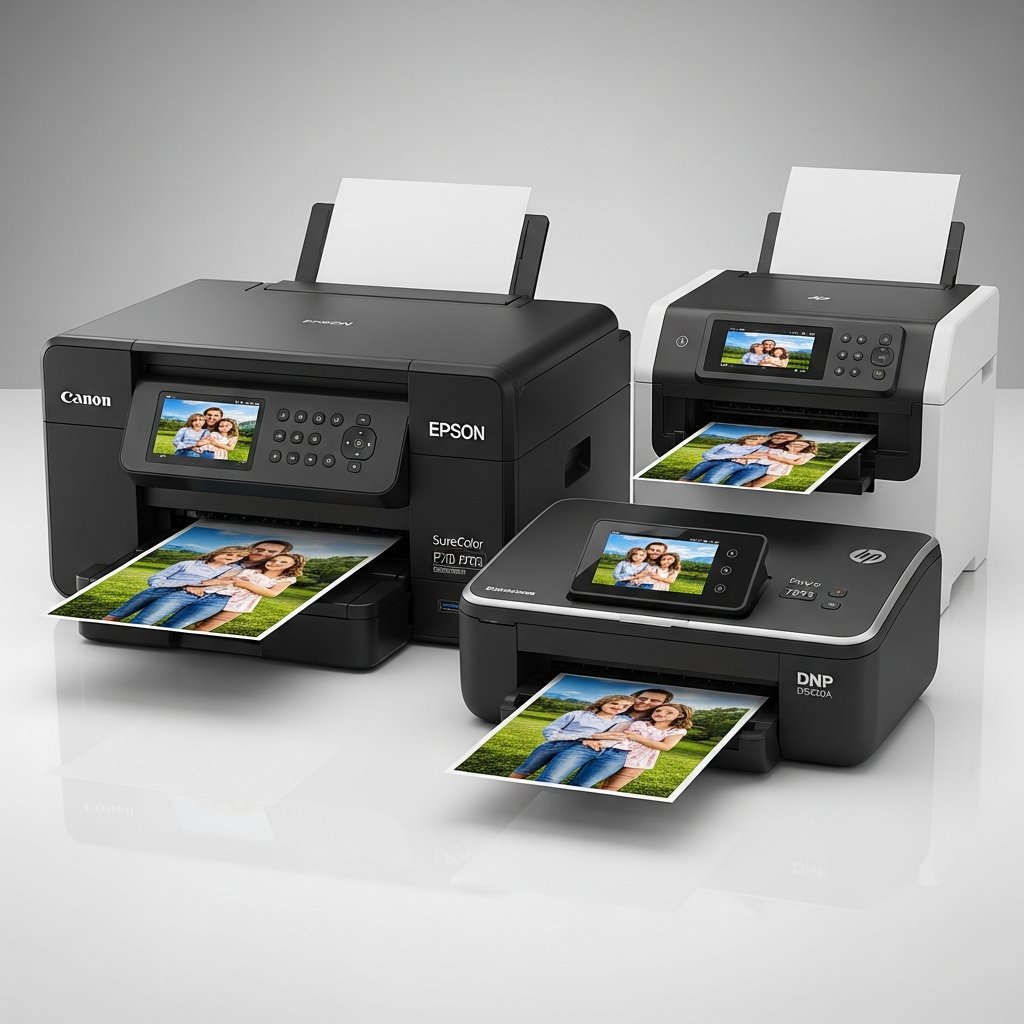
Choosing the right machine to immortalize your digital memories is a bigger decision than simply picking the cheapest option on the shelf. The Best Home Photo Printers transform fleeting phone snaps or carefully composed DSLR shots into tangible art, but the technology varies wildly, affecting both quality and running costs. We compiled a list of the top contenders across different categories, finding that modern ink tank systems like the Canon Pixma G620 or Epson EcoTank Photo ET-8500 generally offer the lowest long-term expense for high-volume family printing, while dedicated pro models like the Canon ImagePROGRAF Pro-300 deliver unparalleled gallery-quality results.
For the average user seeking the best home photo printers for family albums and occasional projects, here are the top categories dominating the market today:
| Category | Recommended Model Examples | Key Benefit |
| :— | :— | :— |
| EcoTank/MegaTank (High Volume) | Epson EcoTank Photo ET-8500, Canon Pixma G620 | Lowest Cost Per Print, Refillable Tanks |
| Professional/Enthusiast (A3+) | Canon ImagePROGRAF Pro-300, Epson SureColor SC-P900 | Exceptional Color Gamut, Archival Quality |
| Portable/Instant (4×6) | HP Sprocket Studio Plus, KODAK Dock Plus | Quick Mobile Printing, Dye-Sub Technology |
Decoding the Technology: What Makes the Best Home Photo Printers Tick?
The vast differences in photo quality, speed, and overall expense stem directly from the core printing mechanism used. When evaluating the Best Home Photo Printers, consumers are primarily choosing between two distinct technological paths: Inkjet (which itself has sub-categories) and Dye-Sublimation. Understanding these mechanics is crucial because they dictate everything from color longevity to the maintenance requirements of the machine itself. The choice you make here will determine whether your investment is a source of joy or a financial drain over time.
The Inkjet Empire: Pigment vs. Dye Inks
Inkjet machines remain the workhorse of the consumer market, employing a system where microscopic droplets of liquid ink are sprayed directly onto the paper. However, the quality of a photo print from an inkjet model hinges significantly on the type of ink it uses—specifically, whether it is dye-based or pigment-based. The distinction is not merely technical; it’s the difference between a family snap that fades in a few years and a gallery print designed to last a lifetime.
Dye-based inks are known for their exceptional vibrancy and ability to produce extremely bright, wide-ranging colors. These inks, which are composed of colorants fully dissolved in a liquid carrier, tend to absorb slightly into the paper fibers, creating a smooth, continuous tone that photographers often prefer for glossy finishes. Many of the entry-level and mid-range Best Home Photo Printers utilize dye inks because they are more cost-effective to produce and offer visually stunning results right off the bat. The Canon Pixma G3260, for example, uses dye colors to achieve its brilliant photo output. The caveat, though, is their lightfastness; dye prints can be susceptible to fading when exposed to UV light or ozone, meaning careful storage is essential to preserve them.
On the other hand, pigment-based inks are comprised of solid color particles suspended in the liquid medium. These particles sit on the surface of the paper, rather than soaking into it, which results in much sharper detail and greater resistance to environmental factors. Printers designed for serious enthusiasts and professionals, such as the Epson SureColor SC-P900 or the Canon imagePROGRAF Pro-1000, almost exclusively use pigment ink sets, often featuring 8 to 12 different ink colors to maximize color fidelity and smooth tonal transitions. While pigment inks typically command a higher upfront cost, their superior archival quality and water resistance make them the definitive choice for prints destined for framing or exhibition. Therefore, those seeking the absolute best home photo printers for longevity will gravitate toward pigment-based models.
Moreover, the sheer number of ink cartridges available on a machine is a telltale sign of its photographic prowess. Standard all-in-one printers might use only four colors (Cyan, Magenta, Yellow, and Black, or CMYK), but the Best Home Photo Printers often include six, eight, or even ten separate tanks. These extra colors—such as Light Cyan, Light Magenta, Gray, and Photo Black—are vital because they significantly expand the color gamut and drastically improve the smoothness of gradients, particularly in challenging areas like human skin tones or bright skies. The inclusion of specialized gray or matte black inks ensures that both color and monochrome prints achieve a museum-quality depth and contrast that a standard four-color printer simply cannot replicate.
The Dye-Sublimation Difference: Instant, Consistent Quality
Dye-sublimation (often shortened to “dye-sub”) represents a fundamentally different approach, and it is the technology of choice for many compact, dedicated photo machines. Unlike inkjet models, which spray liquid dots, dye-sub printers use heat to transfer a solid-state dye onto the paper from a ribbon. This process turns the dye into a gas (sublimation), which then cools and solidifies on the photo paper, creating a continuous tone print. The result is a photograph with truly continuous color transitions, similar to traditional photographic prints, as there are no visible dots of ink.
One of the greatest advantages of dye-sublimation, especially in the context of the Best Home Photo Printers for immediate use, is the consistency of the output. Because the paper and the ink ribbon are sold together in a single kit, the cost per print is fixed and predictable, removing the variable cost of individual ink cartridges. Furthermore, the final stage of the dye-sub process applies a clear, protective overcoat that seals the image against moisture, fading, and fingerprints, meaning the prints are often immediately dry and remarkably durable. Portable models like the KODAK Dock Plus or HP Sprocket Studio Plus capitalize on this technology to offer quick, reliable 4×6-inch prints directly from a smartphone, appealing heavily to the mobile generation.
While dye-sub printers excel at producing durable, high-quality 4×6 prints very quickly, they do have two principal limitations when compared to top-tier inkjet models. First, they are generally limited in size; finding a dye-sub machine capable of printing larger than 4×6 or 5×7 inches is rare in the consumer space. Second, while the continuous tone is excellent, the maximum color depth and detail achieved by the absolute Best Home Photo Printers using pigment inkjet systems (especially those with 10+ ink colors) often exceed the capabilities of dye-sublimation when printing very high-resolution images. Ultimately, the dye-sub system is ideal for users prioritizing instant durability and portability, whereas inkjet systems offer versatility in size and maximum archival detail.
The Financial Reality: Understanding Cost-Per-Print (CPP) and Total Ownership
It is a common error for consumers to focus solely on the initial purchase price of a machine, neglecting the ongoing expense of ink and paper. When evaluating the Best Home Photo Printers, the true measure of affordability is the Total Cost of Ownership (TCO), which is heavily influenced by the Cost Per Print (CPP). This dynamic is where modern technology has delivered the most significant changes, shifting the market away from costly cartridges toward highly efficient refillable systems. Simply put, a printer that costs $50 more upfront but saves $0.20 per print can save hundreds of dollars over its lifespan, especially for high-volume family use.
The Shift to Ink Tank Systems: The New Normal for Best Home Photo Printers
A monumental trend across the hardcopy peripheral market in recent years has been the growing preference for ink tank models over traditional cartridge systems. Companies like Epson, with their EcoTank line, and Canon, with their MegaTank series (such as the Canon Pixma G620), have spearheaded this shift. These machines feature large, built-in, refillable reservoirs that are supplied with high-volume bottles of ink, rather than small, disposable plastic cartridges. This design fundamentally alters the economic model of printing.
The core advantage of an ink tank system is the dramatically lower CPP. While the initial purchase price of an ink tank machine is often slightly higher than its cartridge-based counterpart, the cost of the refill bottles is negligible compared to a set of replacement cartridges. In many cases, a single set of ink bottles included with a new EcoTank printer can last for thousands of standard prints, drastically reducing the hassle and expense of frequent replacements. This low running cost is why models using the ink tank technology are now often classified among the Best Home Photo Printers for families, students, and home offices that print frequently.
To illustrate the difference, consider a traditional cartridge-based printer that might yield 250 standard pages per black cartridge at a cost of $25, resulting in a black CPP of around $0.10. Now, compare this to an ink tank system, where a bottle of black ink costing $20 might yield 6,000 pages, dropping the CPP to less than $0.004. While photo printing consumes more ink, the proportional savings are just as dramatic. This longevity and economic efficiency mean that for anyone expecting to print more than a few hundred photos a year, investing in one of the Best Home Photo Printers utilizing ink tank technology is a simple financial necessity.
Calculating the Long-Term Investment
For enthusiasts and semi-professionals, the CPP calculation becomes slightly more complex, particularly when factoring in the cost of high-quality, archival photo paper. The total cost of a single 8×10-inch pigment print on premium matte paper from a professional-grade machine like the Epson SureColor SC-P900 might still range upwards of $3.00 to $5.00, but this cost reflects the value of archival quality and longevity, not just the consumable volume. For these users, the value lies in having complete creative control and eliminating the dependency on costly third-party printing labs.
When comparing a dedicated photo machine with an all-in-one printer, always investigate the paper feed mechanism. Cheaper models often struggle with thicker, heavier art papers, leading to jams and wasted resources. Conversely, the Best Home Photo Printers often feature specialized paper paths, such as straight-through feeding or dedicated trays for thick media, minimizing potential damage to expensive papers. This reliability, while not a direct cost factor, prevents the expensive waste of time and materials.
The decision for consumers thus boils down to usage volume:
- Low Volume/Casual Use: A traditional, low-cost inkjet or a dedicated dye-sub printer (with its fixed cost per print) may suffice.
- Medium to High Volume/Family Use: An ink tank system offers superior long-term savings and is truly among the Best Home Photo Printers for budget-conscious families.
- Enthusiast/Professional Use: A high-end pigment printer, despite its high CPP, delivers the necessary archival quality and color depth for serious projects.
Understanding these economic trade-offs ensures you select a printer that not only produces beautiful images but also fits comfortably within your household budget for the next several years.
Sizing Up Your Needs: Choosing the Right Format
The term “photo printer” covers a wide spectrum of machines, each designed for a specific purpose and print size. Your definition of the Best Home Photo Printers must align with the size of the photos you intend to create. Are you looking to print small 4×6 prints for an instant scrapbook, or are you hoping to produce large 13×19-inch prints to hang over the mantlepiece? The printer’s physical size and its internal components are directly related to the maximum paper format it can handle.
Professional-Grade (A3/A2) Models for Enthusiasts
For the serious photographer or the demanding hobbyist, the Best Home Photo Printers are those capable of handling large-format media, typically A3+ (13×19 inches) or, in the case of truly high-end models, A2 (17×22 inches). These machines are substantial in size and price, but they offer features and performance essential for gallery-quality output. Models like the Canon ImagePROGRAF Pro-300 and the Epson SureColor SC-P900 are the reigning champions in this category.
These professional printers are distinguished by their advanced ink sets, often featuring ten or more individual colors, including dedicated shades of gray, light black, and specialized photo black and matte black inks. This complex ink array is necessary to achieve the nuanced tonal range and smooth transitions required in professional photography, especially for black-and-white images. Furthermore, these printers possess extremely high-resolution print heads capable of precisely depositing pigment ink droplets smaller than 2 picoliters. This precision ensures that even the largest prints retain razor-sharp detail and exhibit no visible banding or graininess, delivering a truly premium finish.
The target user for these large-format Best Home Photo Printers is someone focused on creating images for exhibition, portfolio work, or selling prints. They require the ability to print on diverse media, ranging from heavy cotton rag papers and fine art canvases to glossy baryta papers. The software included with these printers is also highly sophisticated, offering advanced color management tools and the ability to use custom International Color Consortium (ICC) profiles to ensure the final print perfectly matches the image viewed on a calibrated monitor. This level of control, while overkill for a casual user, is the gold standard for those who require absolute color accuracy and archival quality.
Standard 4×6 and 5×7 Printers for Casual Users
For the vast majority of consumers, the Best Home Photo Printers are those that excel at printing standard photo sizes—primarily 4×6, 5×7, and sometimes letter (8.5×11) inch formats. These machines strike the ideal balance between physical footprint, quality, and cost, fitting easily onto a desk or shelf. Many are multi-function devices (All-in-One, or AiO) that also include a scanner and copier, adding significant utility beyond just photo output.
The popular Canon Pixma and Epson Expression Photo HD XP-15000 lines are mainstays in this sector, often utilizing a six-color ink set (CMYK plus Light Cyan and Light Magenta). The addition of these light colors, while not reaching the archival quality of the professional pigment models, dramatically improves the appearance of skin tones and bright areas over a standard four-color printer. The print speeds are generally faster than the professional models because the ink complexity and required precision are slightly lower. These are the workhorse machines for printing vacation memories, school projects, and photos for family scrapbooks.
A crucial consideration in this segment is paper handling. While these printers easily manage glossy photo paper, they might struggle with very thick media (over 300gsm). Users of these Best Home Photo Printers should prioritize speed, reliability, and ease of use, including straightforward wireless connectivity. The running costs, particularly if using an ink tank model like the Canon Pixma G620, are extremely low, making high-volume, standard-size printing an economically viable alternative to relying on external photo labs.
Portable and Mini Printers (Dye-Sub/Zink) for Instant Sharing
At the opposite end of the size spectrum are the compact and portable photo machines, which are increasingly popular due to their ability to print directly from smartphones via Bluetooth or Wi-Fi Direct. These are often considered the Best Home Photo Printers for immediate gratification and on-the-go use, ideal for parties, travelers, or creating instant journal inserts.
This category is dominated by two technologies:
- Dye-Sublimation (e.g., HP Sprocket Studio Plus, KODAK Dock Plus): These print 4×6-inch photos with the clear protective overcoat previously mentioned. They offer high quality, quick, durable prints, and the cost is entirely contained within the media kit.
- ZINK (Zero Ink) Technology: These small printers, often producing 2×3-inch sticky-backed prints, utilize special paper embedded with dye crystals. Heat activates the crystals to produce the image. While the quality is lower than dye-sub, the printers themselves are tiny and require no ink, making them the ultimate in portability.
The appeal of these models lies entirely in their convenience and simplicity. They are perfect for users who want to print photos that are small, instantly shareable, and don’t need the archival permanence of large-format prints. For those who frequently take snapshots on their phone and want a tangible, immediate record, these are undoubtedly the Best Home Photo Printers within their niche.
Connectivity and Usability: Beyond Just Printing
In the modern digital home, a printer is no longer a device tethered to a desktop computer via a USB cable. Today’s Best Home Photo Printers are complex network devices that must integrate seamlessly with smartphones, tablets, cloud services, and voice assistants. Evaluating a printer’s connectivity and overall usability is nearly as important as judging its print quality. A complicated setup process or a sluggish mobile app can quickly turn a cutting-edge printer into a source of frustration.
Wireless Convenience: Wi-Fi Direct and App Integration
The expectation today is that a new photo machine should connect wirelessly, ideally offering multiple options for transmission. Standard Wi-Fi connectivity allows multiple household devices to share the printer over the home network, but the Best Home Photo Printers also support Wi-Fi Direct or Bluetooth. Wi-Fi Direct is particularly useful, as it allows a phone or camera to connect directly to the printer without needing a central router, which is perfect for guests or printing in areas with poor Wi-Fi signals.
Mobile application support is perhaps the most critical usability feature. Leading manufacturers invest heavily in their proprietary apps (e.g., Canon Print, Epson iPrint). These are not just drivers; they are complete printing hubs that allow users to:
- Monitor Ink Levels: Crucial for ink tank models to know when to refill.
- Edit and Enhance: Perform basic cropping, color correction, and apply filters before printing.
- Access Cloud Services: Print directly from services like Google Drive, Dropbox, or Instagram without needing a computer.
- Manage Printer Settings: Handle maintenance tasks like head cleaning and nozzle checks remotely.
A truly user-friendly app makes a massive difference, transforming the process of selecting and printing a photo from a phone into a simple, three-tap process, which is a key trait of the Best Home Photo Printers on the market. Furthermore, support for established standards like Apple AirPrint and Google Cloud Print (or its modern equivalent) ensures compatibility across all major operating systems without the need to install specific drivers.
Essential Features: Scanners, ADF, and Multi-Functionality
While a dedicated photo printer focuses purely on output quality, many consumers opt for a multi-function or All-in-One (AiO) model to maximize value and minimize space consumption. The inclusion of a scanner and copier unit, as seen in many popular models like the HP Envy Pro 6420, adds utility for everyday document tasks. However, when choosing one of the Best Home Photo Printers with a scanner, one must consider the quality and type of the scanning bed.
A high-resolution flatbed scanner is essential for digitizing old family photos or archival documents. The resolution, measured in dots per inch (DPI), should be high enough (ideally 1200 DPI or higher) to capture the fine details needed for photo restoration. For users dealing primarily with documents, the presence of an Automatic Document Feeder (ADF) is a must, allowing stacks of papers to be scanned or copied automatically.
Beyond the scanner, other important usability features found in the Best Home Photo Printers include:
- Intuitive Touchscreens: A large, responsive screen simplifies network setup, maintenance, and standalone operation without a connected computer.
- Multiple Paper Trays: Dedicated trays for photo paper and standard paper eliminate the need to constantly swap media, a significant convenience feature for busy households.
- SD Card Slots/USB Ports: Allows direct printing from cameras or external drives without the need for a PC, offering a traditional workflow favored by some photographers.
Ultimately, the choice of the Best Home Photo Printers is highly personalized. It requires balancing the pursuit of professional-grade quality with the practical realities of long-term costs and daily convenience. By focusing on the core technology (inkjet vs. dye-sub), the cost model (cartridge vs. ink tank), and the required print size (4×6 vs. A3+), any consumer can find the ideal machine to bring their digital images to life with confidence.
*
Frequently Asked Questions (FAQ)
What is the biggest difference between dye ink and pigment ink for photo printing?
The core difference lies in their composition and durability. Dye-based inks are dissolved colorants that produce vibrant colors but are generally more prone to fading when exposed to light or ozone. Pigment-based inks, conversely, use solid color particles that sit on the paper surface, offering superior sharpness, water resistance, and archival longevity, making them the choice for professional-grade and Best Home Photo Printers built for permanence.
Is an ink tank printer truly cheaper in the long run than a cartridge printer?
Yes, unequivocally. While ink tank models (like Epson EcoTank or Canon MegaTank) have a higher initial purchase price, the cost of refill bottles is dramatically lower than replacement cartridges. This results in a Cost Per Print (CPP) that is often 90% cheaper or more, leading to massive savings over the lifetime of the printer, particularly if you print photos frequently. For high-volume users, they represent the best home photo printers from a financial perspective.
What is the ideal photo resolution for printing 4×6 or 8×10 prints?
The standard resolution for high-quality photo printing is 300 dots per inch (DPI).
- For a 4×6 print, your image should be at least $1200 \times 1800$ pixels.
- For an 8×10 print, your image should be at least $2400 \times 3000$ pixels.
While printers can technically handle lower-resolution images, adhering to 300 DPI ensures the final output from your chosen Best Home Photo Printers is sharp and detailed.
Are portable photo printers considered good quality?
Portable printers, which usually use dye-sublimation or ZINK technology, are excellent within their constraints. Dye-sub models (like the KODAK Dock Plus) produce durable, instant, continuous-tone 4×6 prints that are very high quality for their size. While they lack the massive color depth of high-end A3+ pigment inkjet machines, they are the best home photo printers for convenience, speed, and sharing small format prints.
Should I buy a four-color or a six-color photo printer?
If your goal is high-quality color photos, you should choose a six-color model or better. Standard four-color (CMYK) printers struggle to reproduce subtle skin tones and gradients smoothly. The extra Light Cyan and Light Magenta inks in a six-color system (or more in professional models) expand the color gamut and reduce graininess, resulting in noticeably superior photo output. To achieve the best home photo printers status, more colors are generally required.
*