Aesthetic Fonts for Posters: The Ultimate Comprehensive Guide for Beginners
In the realm of visual communication, a poster is more than just a combination of images and words. It is a silent ambassador for your message, brand, or event. While imagery often captures the initial gaze, it is the typography that delivers the core message. Choosing aesthetic fonts for posters is not merely a decorative choice; it is a strategic decision that influences readability, emotional response, and overall design effectiveness.
Whether you are designing a promotional flyer, a film poster, or a motivational wall art piece, understanding the nuances of typography is essential. This guide will walk you through everything you need to know about selecting, pairing, and implementing aesthetic fonts to create professional-grade posters.
1. Understanding the Role of Typography in Poster Design
Typography is the art and technique of arranging type to make written language legible, readable, and appealing when displayed. In poster design, typography serves three primary functions:
- Communication: It conveys the literal information (the “what,” “where,” and “when”).
- Aesthetics: It contributes to the visual “vibe” or style of the design.
- Hierarchy: It guides the viewer’s eye to the most important information first.
When we speak of “aesthetic fonts,” we refer to typefaces that possess a high level of visual appeal and character, often aligning with current design trends such as minimalism, retro-revival, or brutalism.
2. Categorizing Aesthetic Fonts: Which One Suits Your Project?
Before you dive into a font library, you must understand the four primary categories of typefaces. Each carries a different psychological weight and aesthetic value.
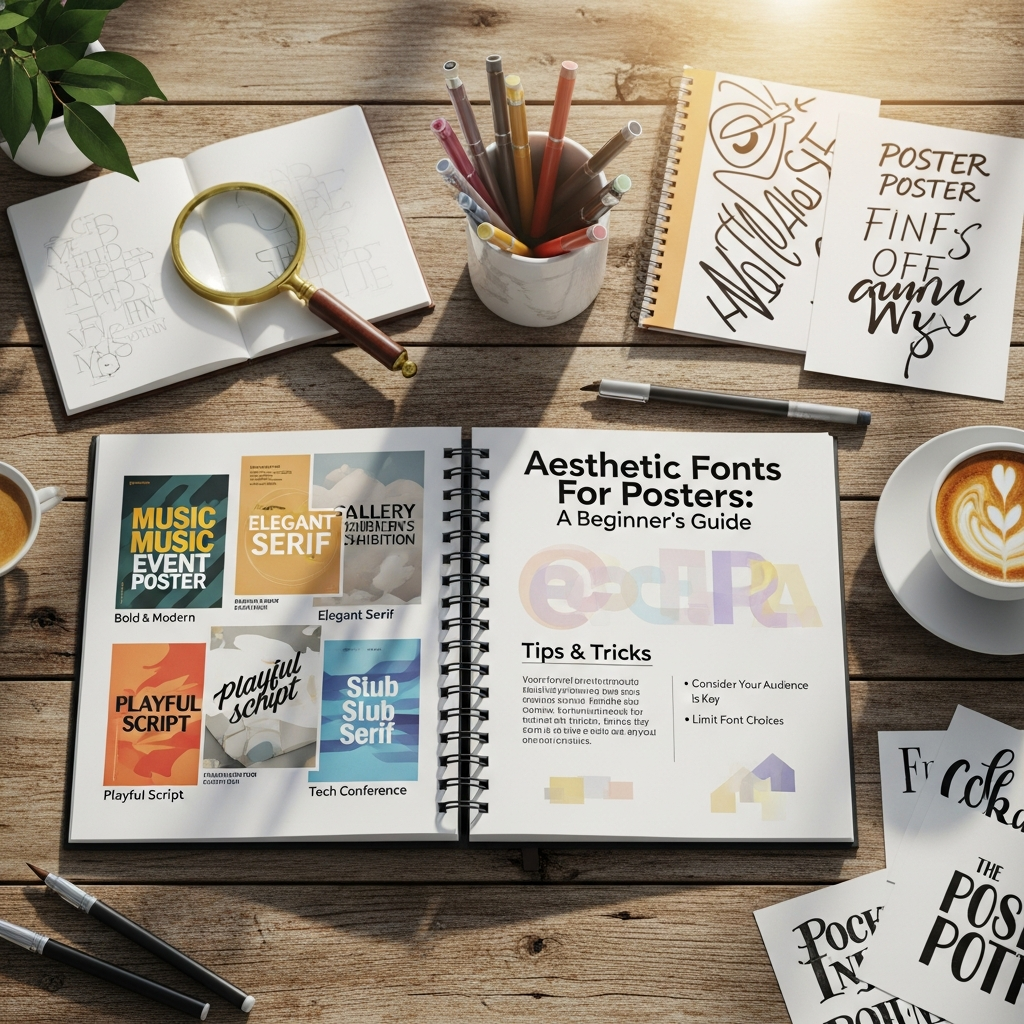
Serif Fonts: The Classic Choice
Serif fonts are characterized by small lines or strokes attached to the end of larger strokes in a letter (the “feet”).
- Vibe: Traditional, reliable, elegant, and formal.
- Best For: Editorial posters, high-end fashion branding, and luxury event invitations.
- Popular Examples: Times New Roman, Garamond, Playfair Display.
Sans-Serif Fonts: The Modern Standard
Sans-serif fonts lack the decorative strokes at the ends of letters.
- Vibe: Clean, modern, efficient, and approachable.
- Best For: Tech conferences, corporate announcements, and minimalist art posters.
- Popular Examples: Helvetica, Montserrat, Futura, Open Sans.
Script and Cursive Fonts: The Personal Touch
These fonts mimic human handwriting, ranging from elegant calligraphy to casual doodles.
- Vibe: Creative, personal, romantic, or feminine.
- Best For: Wedding posters, music festival lineups, and boutique advertisements.
- Tip: Use these sparingly for headlines, as they can be difficult to read in large blocks of text.
Display and Decorative Fonts: The Attention Grabbers
Display fonts are designed specifically for large headings. They often have unique shapes, textures, or eccentricities.
- Vibe: Bold, eccentric, thematic, and loud.
- Best For: Movie posters, concert flyers, and avant-garde art displays.
- Caution: Never use display fonts for body text; they are meant to be seen, not read in volume.
3. The Psychology of Font Selection
Every font tells a story. Before selecting an aesthetic font for your poster, ask yourself: “What emotion do I want to evoke?”
- Thick, Bold Fonts: Convey strength, authority, and urgency.
- Thin, Light Fonts: Suggest elegance, fragility, and sophistication.
- Rounded Fonts: Appear friendly, playful, and safe.
- Angular/Sharp Fonts: Feel aggressive, modern, or high-tech.
By aligning the font’s personality with your poster’s subject matter, you create a cohesive visual narrative that resonates with your target audience.
4. How to Choose the Perfect Aesthetic Font: A Step-by-Step Guide
Follow this systematic approach to ensure your typography choices are both beautiful and functional.
Step 1: Define the Poster’s Purpose
Is your poster meant to inform, persuade, or provoke? An informational poster for a medical seminar requires clear, legible sans-serifs. A persuasive poster for a rock concert can afford to use distorted, high-contrast display fonts.
Step 2: Identify Your Target Audience
Design for the viewer, not yourself. A poster for a children’s toy store should use bright, rounded, and playful fonts. Conversely, a poster for a law firm should utilize stable, classic serifs to instill trust.
Step 3: Prioritize Readability and Legibility
- Legibility refers to how easily individual characters can be distinguished.
- Readability refers to how easily the overall text can be understood.
- Pro Tip: Always test your poster design from a distance. If you cannot read the headline from 5-10 feet away, your font choice or size needs adjustment.
Step 4: Establish a Visual Hierarchy
Visual hierarchy is the arrangement of elements in a way that implies importance. In poster design, you generally need three levels:
- Level 1 (Headline): The most visually striking font. This is your “hook.”
- Level 2 (Sub-headlines): Provides context (dates, locations). Usually a simpler font than the headline.
- Level 3 (Body Copy): The fine details. Must be highly legible and usually smaller in size.
5. Master the Art of Font Pairing
One of the biggest challenges for beginners is mixing different fonts. Using only one font can be boring, but using too many (more than three) creates visual chaos. Here are the golden rules of font pairing for posters:
Rule 1: Combine Contrast
Pair a bold Serif headline with a clean Sans-Serif sub-headline. The contrast in their structures creates a dynamic visual balance.
Rule 2: Stay Within the Same Font Family
Many professional typefaces come in “super-families” (e.g., Roboto Thin, Roboto Regular, Roboto Bold, Roboto Black). Using different weights of the same font family ensures perfect harmony while providing enough variety.
Rule 3: Avoid Similar Fonts
Do not pair two fonts that look almost the same (e.g., two different slight variations of Helvetica). It looks like a mistake rather than a design choice. Aim for distinct differences.
6. Essential Typography Terms Every Beginner Should Know
To design like a professional, you must understand the technical adjustments that make aesthetic fonts look polished:
- Kerning: The adjustment of space between two individual letters. Use this to fix awkward gaps in headlines.
- Leading (Line Spacing): The vertical distance between lines of text. Increasing leading can make a poster feel more “airy” and modern.
- Tracking: The uniform adjustment of spacing across a whole range of characters.
- Hierarchy: Using size, weight, and color to show the viewer where to look first.
7. Current Trends in Aesthetic Poster Fonts
Staying updated with trends helps your designs feel contemporary and relevant.
- Retro & Vintage Revival: Think 70s-style groovy serifs with thick outlines and warm color palettes.
- Kinetic Typography: Fonts that look like they are in motion, often stretched or distorted.
- Minimalist Sans: Ultra-thin lines with wide tracking, often used in high-end architectural or fashion posters.
- Maximalism: Overlapping fonts, clashing colors, and filling every inch of the poster with bold type.
8. Top Tools and Resources for Finding Aesthetic Fonts
You don’t need to spend a fortune to access high-quality typography. Here are the best resources for beginners:
- Google Fonts: Completely free and open-source. Excellent for web and print.
- Adobe Fonts: Included with a Creative Cloud subscription. Offers thousands of professional-grade typefaces.
- Canva: A beginner-friendly design tool with a curated library of aesthetic font pairings.
- Dafont / FontSpace: Great for finding unique display fonts, though you must check the licensing for commercial use.
- WhatTheFont: A useful tool that helps you identify fonts used in existing designs by uploading an image.
9. Common Mistakes to Avoid in Poster Typography
Even with the most beautiful fonts, certain errors can ruin a design:
- Over-decorating: Don’t use “bleeding” or “shadow” effects on every word. Let the font speak for itself.
- Poor Contrast: Placing dark text on a dark background or light text on a light background makes the poster unreadable.
- Ignoring Margins: Don’t let your text get too close to the edge of the poster. Give your design “room to breathe.”
- Using “Comic Sans” or “Papyrus”: These fonts are widely mocked in the design community for being overused and unprofessional. Avoid them unless you are using them ironically.
10. Expert Tips for Professional-Looking Posters
- Limit Your Palette: Match your font color to the secondary colors in your images for a cohesive look.
- Use Grids: Align your text to a grid system to ensure balance and symmetry.
- Check Your Spelling: A beautiful font won’t save a poster with a typo in the headline.
- Consider the Medium: Is this poster for Instagram (digital) or a bus stop (physical)? Digital posters can handle finer details, while physical posters need high contrast for distance viewing.
11. Conclusion
Choosing aesthetic fonts for posters is a journey of balancing creativity with functionality. As a beginner, the key is to start simple. Master the use of one or two font families, focus on clear hierarchy, and always prioritize the readability of your message. Typography is a powerful tool; when used correctly, it transforms a simple piece of paper into a compelling visual experience.
Experiment with different styles, observe the posters around you in the real world, and don’t be afraid to break the rules once you understand them. Your perfect poster design starts with the right font.
Frequently Asked Questions (FAQ)
What are the best fonts for a minimalist poster?
Minimalist posters thrive on clean Sans-Serif fonts like Helvetica, Montserrat, or Futura. If you prefer a Serif look, Bodoni or Didot offer a sophisticated, high-fashion aesthetic.
How many fonts should I use on one poster?
The general rule of thumb is to use no more than 2 to 3 different fonts. Using too many fonts creates a cluttered and unprofessional appearance.
Where can I find free aesthetic fonts for commercial use?
Google Fonts and FontSquirrel are the best places to find high-quality fonts that are free for both personal and commercial projects. Always read the license agreement before using a font for a client.
What is the difference between a typeface and a font?
A typeface is the creative design (e.g., Arial), while a font is the specific file or style of that design (e.g., Arial Bold, 12pt). In casual conversation, the terms are often used interchangeably.
How do I make my poster text stand out?
To make text pop, use high contrast colors (e.g., white text on a dark blue background), increase the font weight (Bold), or use a unique Display font for the main headline.