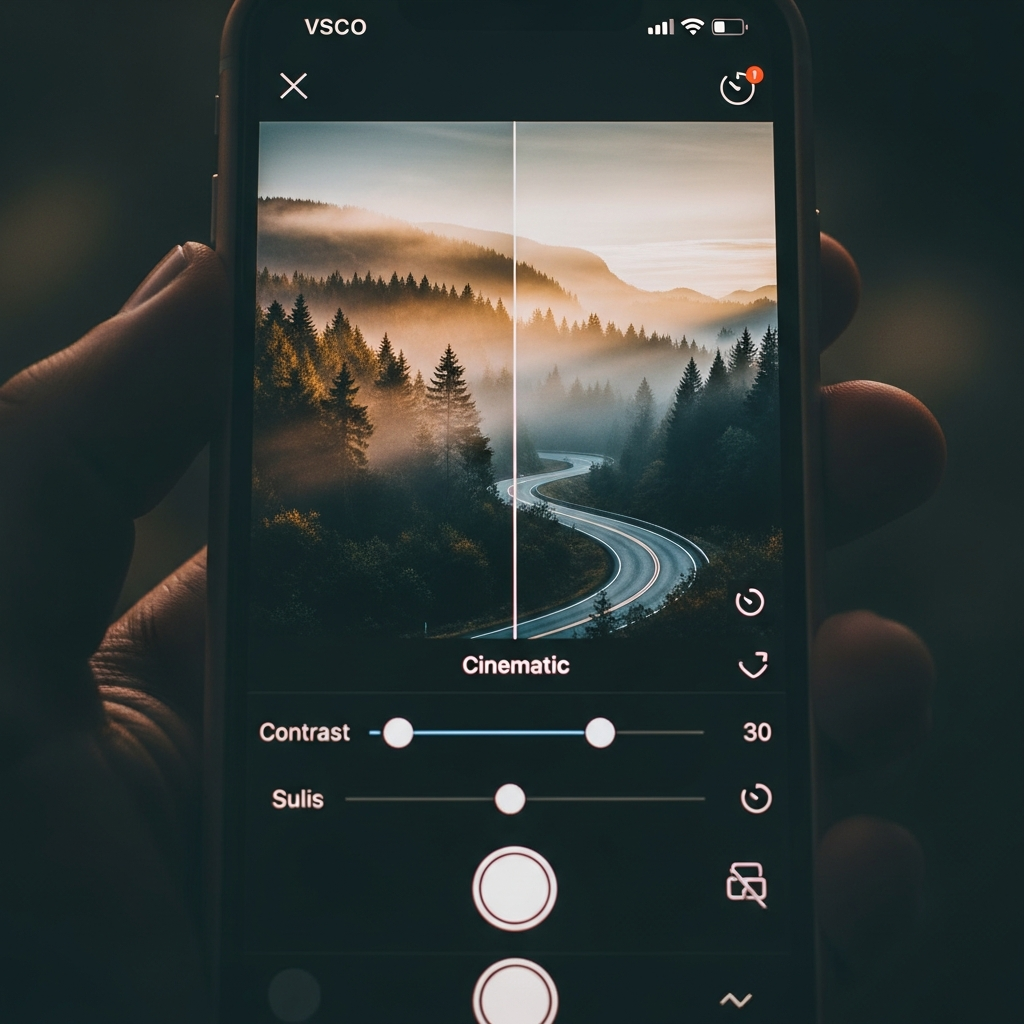
The Ultimate Guide to Achieving Authentic Cinematic Effects in Vsco
What Exactly Defines Cinematic Effects in Vsco?
A great photograph is not merely a documentation of reality; rather, it is an interpretation, a moment filtered through an artistic lens to evoke emotion. This is precisely the core of what we call Cinematic Effects in Vsco. These effects go far beyond simple filters; they are a sophisticated process of color grading, texture application, and mood setting designed to make a still image look as if it were pulled directly from a high-budget film reel. The essence lies in recreating the subtle, often imperfect, qualities of analog film and classic movie aesthetics. The goal is to lend weight, narrative, and a timeless quality to your mobile photography.

The application’s success in this area stems from its foundation in film emulation, which is the digital process of mimicking the look of traditional film stocks like Kodak or Fuji. These effects are not random, but are built upon specific visual cues recognized globally as “cinematic.”
Key Components of Cinematic Effects in Vsco:
- Color Grading: Using specific color palettes—often teal and orange, or muted, desaturated tones—that define the mood of a scene.
- Film Grain: The intentional introduction of noise or texture to simulate the chemical structure of actual film.
- Contrast and Tone: Utilizing deep shadows, lifted blacks, and controlled highlights to create drama and depth.
- Aspect Ratio: Cropping an image to wider formats (like 2.35:1) to give the traditional, sweeping movie screen look.
Achieving compelling Cinematic Effects in Vsco transforms everyday shots into powerful visual narratives, making the viewer feel like they are looking at a classic movie still. The application pioneered the mobile film emulation trend, and it remains a gold standard for professional and amateur photographers seeking this distinct aesthetic.
The Philosophy: Film Emulation and the Human Element
The current trend toward Cinematic Effects in Vsco and other platforms is a direct reaction to the clinical perfection of modern digital sensors. High-definition digital images are often too sharp, too clean, and sometimes, too sterile. They lack the character, the warmth, and the palpable texture that traditional film stocks inherently possess. This is where the philosophy of film emulation comes into play.
By utilizing Cinematic Effects in Vsco, users are essentially choosing to introduce beautiful imperfections. They seek the subtle shifts in color, the way highlights gently roll off instead of blowing out abruptly, and the nostalgic atmosphere that a slight grain overlay provides. This approach connects the modern digital image to the rich history of cinema and photography. It makes a mobile photo feel tangible, as if you could hold the actual film strip in your hand.
For me, the appeal of Cinematic Effects in Vsco became crystal clear a few years ago during a trip to the Scottish Highlands. I had taken a stunning shot of a misty loch with my phone, but when I looked at the raw image, it felt flat; the colors were too true to life and missed the mysterious, ethereal mood of the moment. I remember sitting in a small pub that evening and experimenting with the available tools. When I applied a specific black and white film emulation preset—one that introduced heavy grain and deep, moody shadows—the image suddenly breathed. It wasn’t just a photo of a loch anymore; it was a scene from a tragic, sweeping drama. This experience taught me that the goal is not to copy the film, but to harness its emotional language. The power of Cinematic Effects in Vsco lies in their ability to inject emotion and history into otherwise ordinary moments.
This human connection is why the style remains popular. It’s an artistic choice to tell a story through nostalgia and classic visuals. It’s about building a mood, whether it’s the sun-drenched, faded look of a 1970s road trip movie or the high-contrast, moody aesthetic of a neo-noir thriller. Every single preset designed to create Cinematic Effects in Vsco carries this legacy, offering a powerful, ready-made atmosphere.
Deconstructing the Visual Elements of a Cinematic Look
To truly master Cinematic Effects in Vsco, one must understand the individual visual components that collectively create the desired cinematic feeling. It is a layered process, not a single filter application. The visual DNA of cinema consists of several key traits that can be meticulously replicated and customized within the application’s powerful editor.
Color Grading: The Heart of the Cinematic Effect
Color grading is arguably the single most important factor in achieving realistic Cinematic Effects in Vsco. In cinema, color defines the time period, the mood, and the genre. Think of the warm, golden hues of historical dramas versus the cold, desaturated blues and grays of dystopian thrillers. This technique relies on manipulating the relationship between different color channels.
Key Color Grading Techniques:
- Teal and Orange (Opposite Tones): This is a staple in modern blockbuster cinema. It pushes skin tones (which contain orange) towards the warm end while pushing shadows and backgrounds (often skies, water, metal) toward the cool teal end. Mastering this is key to popular Cinematic Effects in Vsco.
- Desaturation: Film stocks often have a limited color gamut compared to digital sensors. Reducing the overall saturation, especially in the secondary colors, creates a muted, sophisticated, and aged appearance.
- White Balance Shift: Slightly shifting the white balance away from neutral—either towards a cooler blue/green or a warmer yellow/magenta—instantly gives an image a specific filmic character. This simple step is vital for authentic Cinematic Effects in Vsco.
Without precise color control, the cinematic feel will fall flat. The colors need to work together in harmony, directing the viewer’s eye and communicating the emotional core of the image. This level of refinement is what separates an amateur photo edit from a truly professional interpretation using Cinematic Effects in Vsco.
Grain, Texture, and Light: Adding a Tangible Feel
Texture is the tactile element that makes an image feel real and grounded, moving it away from the slick, hyper-real appearance of digital media. When we discuss Cinematic Effects in Vsco, we must deeply consider the role of film grain and the handling of light.
Film grain is the randomized pattern created by tiny particles of silver halide crystals in analog film. Digitally, this is recreated through a noise layer. The amount, size, and distribution of this grain drastically impacts the mood:
- Subtle Grain: A finer, less intense grain (like 35mm film) suggests sophistication and classic cinematography.
- Heavy Grain: A coarser, more noticeable grain (like 16mm or older stocks) implies grit, immediacy, or a throwback to the 1970s documentary style.
Additionally, the handling of contrast is essential. Many Cinematic Effects in Vsco presets utilize ‘lifted blacks,’ which means the darkest part of the image is not pure black, but rather a dark gray or a dark color tint. This mimics the light bleed often seen when analog film is processed or projected, and it instantly softens the image’s contrast, providing a dreamy, nostalgic matte finish. This matte look is a highly sought-after component of modern Cinematic Effects in Vsco.
The Power of Aspect Ratio and Cropping
While often overlooked in basic photo editing, the aspect ratio is a defining characteristic of cinema. It’s the shape of the screen, and it fundamentally changes how the eye interacts with the composition. The standard photo ratio is 3:2 or 4:3, while most cinema employs significantly wider formats.
To implement truly effective Cinematic Effects in Vsco, you should use the cropping tool to introduce a wider ratio.
Common Cinematic Aspect Ratios:
- 16:9 (Widescreen TV): A good balance, slightly wider than a standard photo, offering a contemporary video feel.
- 2.35:1 or 2.40:1 (Anamorphic/Widescreen Cinema): This is the classic, super-wide screen look of epic films. Applying this crop, often with black bars (letterboxing) above and below the image, is one of the quickest ways to achieve convincing Cinematic Effects in Vsco.
Cropping into a wider ratio immediately focuses the viewer’s attention horizontally, compelling them to scan the scene like they would a movie screen, which drastically improves the narrative feel. This simple compositional adjustment is a powerful tool within the arsenal of Cinematic Effects in Vsco.
Mastering the Best Presets for Cinematic Effects in Vsco
The application’s extensive library of presets—many exclusive to the subscription service—forms the backbone of achieving high-quality Cinematic Effects in Vsco. These presets are not just simple aesthetic overlays; they are complex calculations that adjust multiple parameters (exposure, contrast, saturation, grain, white balance) simultaneously to replicate real-world film stocks.
The secret to maximizing the potential of these tools is understanding which film families correspond to specific cinematic moods. Not all presets are suitable for creating impactful Cinematic Effects in Vsco—you must choose the ones specifically designed for color shifting and texture.
Classic Film Emulations (Kodak, Fuji, Ilford)
The initial range of presets that popularized the app were its true film emulations, designed to bring the signature look of iconic brands to digital photography. These are the foundations of truly authentic Cinematic Effects in Vsco:
- The Kodak Family (e.g., KP and KC series): Known for their warm, slightly exaggerated color saturation and a classic, almost nostalgic feel. These are excellent for vibrant, classic, Hollywood-style Cinematic Effects in Vsco, particularly for scenes with strong primary colors or bright daylight. They maintain pleasing skin tones and create a cheerful, yet filmic, look.
- The Fujifilm Family (e.g., FP and FM series): In contrast to Kodak, Fuji emulations are often cooler, featuring muted greens and blues, and a characteristic magenta push in the shadows. They are ideal for creating subtle, modern, and moody Cinematic Effects in Vsco, often favored for landscape, fashion, and contemporary portraiture that requires a sophisticated, understated palette.
- Black & White (e.g., BW, ILF, HP series): Emulating stocks like Ilford or Kodak Tri-X, these presets are essential for dramatic, timeless Cinematic Effects in Vsco. They focus purely on light and shadow, using high contrast and heavy grain to evoke classic noir films or gritty historical documentaries.
Modern, Gritty Cinema Looks
Beyond direct emulation, many newer filters have been created to mimic the current trends in digital cinema and indie film. These often lean heavily into deep contrast, high saturation on specific colors, and exaggerated lifted blacks, perfectly capturing contemporary Cinematic Effects in Vsco.

One prominent trend is the Cross-Process look, where the development chemicals for one film type are used on another (e.g., developing slide film in negative chemicals), resulting in high-contrast images with drastically shifted colors, often featuring strong blues, greens, or yellows. The application introduced a range of cross-processed photo presets to its Film X library, giving users a highly dramatic option for their Cinematic Effects in Vsco repertoire.
Specific presets popular for achieving a filmic aesthetic include:
- C1: A highly versatile filter known for boosting contrast and slightly warming the scene, giving landscape photos a vibrant and classic filmic quality.
- DOG3: Frequently cited as providing a distinct, film-like aesthetic, it is excellent for moody and atmospheric Cinematic Effects in Vsco, often used to create a serious, reflective mood.
- F2: This preset often provides a muted, cool-toned aesthetic, suitable for creating subtle, desaturated Cinematic Effects in Vsco that avoid the over-processed look.
The sheer variety of Cinematic Effects in Vsco means that the perfect look for any project is accessible, provided the user is willing to explore and experiment with the full range of the platform’s library. The key is to start with a preset and then refine it manually to suit the specific image.
Beyond Presets: Manual Adjustments for True Film Authority
While the presets offer an excellent starting point, relying on them alone will not allow you to achieve truly unique and powerful Cinematic Effects in Vsco. Real creative control lies in understanding and manipulating the application’s manual adjustment tools. Every professional image that looks cinematic is the result of subtle, tailored changes applied after the initial preset.
Playing with Tone (Highlights, Shadows, and Lifted Blacks)
The Tone tool is where you refine the crucial interplay of light and dark, which dictates the mood and atmosphere of your Cinematic Effects in Vsco.
- Exposure and Contrast: Start with a baseline adjustment. Exposure sets the overall brightness, but Contrast is where the drama is created. Boosting contrast emphasizes the difference between light and dark, a hallmark of many dramatic cinematic styles.
- Shadows and Highlights: These are the most nuanced tools. Gently reducing the ‘Highlights’ can bring back detail in bright skies or light sources, mimicking the way film handles overexposure. Conversely, raising the ‘Shadows’ can lighten the dark areas, leading to that desirable ‘lifted blacks’ or matte finish, a signature of modern Cinematic Effects in Vsco.
- Fade: This specific tool is essentially an enhanced ‘lifted blacks’ control. Applying a subtle amount of Fade softens the deepest blacks, pushing them toward a gray or tinted hue. This is a non-negotiable step for achieving a vintage or matte finish, completing the artistic vision of many powerful Cinematic Effects in Vsco.
HSL and White Balance: Precise Color Control
The HSL (Hue, Saturation, Luminance) tool offers surgical control over every single color in your image, allowing you to fine-tune your Cinematic Effects in Vsco with unparalleled precision.
For example, to perfect the ‘Teal and Orange’ look:
- Select the Orange Hue: Slightly shift the orange hue slider to make skin tones warmer or cooler.
- Select the Blue Hue: Slightly shift the blue hue slider toward cyan or teal.
- Adjust Luminance: Reduce the Luminance of the Blue/Cyan channel to deepen shadows and make the sky more moody, while increasing the Luminance of the Orange/Red channel to brighten skin tones.
Similarly, precise white balance control (Temperature and Tint) is critical. A minute shift in temperature towards blue will dramatically cool the entire scene, which is essential for cold, brooding Cinematic Effects in Vsco. A slight shift in tint towards magenta or green is often the final subtle change needed to match the distinct color cast of classic film stocks.
Adding Final Touches (Lens Flare, Vignette, Fade)
The application also provides creative video and photo effects that act as the final, highly stylized layers of your Cinematic Effects in Vsco. These elements are about adding deliberate “artifacts” that enhance the illusion of film.
- Vignette: A gentle darkening around the edges of the frame focuses the viewer’s eye on the center subject, a technique widely used in both classic photography and cinema. A slight vignette is essential for achieving profound Cinematic Effects in Vsco.
- Film/Dust Texture: While grain is the core texture, the application often provides specific dust, scratches, or subtle light leak overlays. These elements, when used sparingly, add a powerful sense of age and authenticity to the final image, reinforcing the desired Cinematic Effects in Vsco.
- Lens Flare Effect: The introduction of a simulated lens flare, where light catches the camera glass and creates rings or spots of light, can be a dramatic storytelling device. The application offers tools to achieve this “golden hour” aesthetic, further enriching the palette of Cinematic Effects in Vsco.
By combining the structural foundation of a preset with these sophisticated manual adjustments, you move from simply applying a filter to becoming a true color authority, capable of crafting complex and unique Cinematic Effects in Vsco that tell a precise story.
A Personal Journey with Cinematic Effects in Vsco
I remember a time when my photos looked generic and uninspired. Every sunset was an oversaturated mess, and every portrait looked flat, like a standard phone snap. It was frustrating because I knew what I wanted: the sophisticated, almost intangible look of a classic movie scene. The moment I finally understood the potential of Cinematic Effects in Vsco wasn’t through a tutorial, but through a failure.
I had spent an entire afternoon trying to recreate the look of a specific 1980s road movie, with its distinct desaturated blues and strong magenta shadows. I used a preset (I think it was an F-series at the time) and thought I was done. The picture was of my friend standing by a gas station under a hazy sky. It looked okay, but it didn’t have that weight.
Then, I opened the Curves tool—something I had always avoided—and made one small, simple move. I dragged the bottom-left point of the RGB curve (the black point) slightly up and inward. That single, tiny adjustment instantly lifted the blacks, turning the harsh shadows into that classic matte-gray I was chasing. The image immediately transformed from a photo into a film still. I realized then that Cinematic Effects in Vsco wasn’t about the grand gestures; it was about the nuanced control of light and color that only manual fine-tuning could deliver. That moment defined my approach to all subsequent editing, understanding that a powerful tool like Cinematic Effects in Vsco requires patience and precision.
Conclusion: Elevating Your Mobile Storytelling with Cinematic Effects in Vsco
The journey to mastering Cinematic Effects in Vsco is a rewarding one that moves you from being a simple photo taker to an authentic mobile storyteller. It is an exploration into the rich world of film language, where color, light, and texture are used as narrative devices to evoke deep emotion and set an unmistakable mood. By diligently studying the techniques of color grading, understanding the subtle science of film emulation, and utilizing the powerful manual controls, you can consistently elevate your mobile photography to a genuinely professional standard.
The enduring popularity of Cinematic Effects in Vsco in the visual community highlights a widespread appreciation for timeless aesthetics over fleeting digital trends. As you continue to experiment with different presets—be it the nostalgic warmth of the Kodak emulations or the moody grit of a modern cross-process look—remember that the most effective Cinematic Effects in Vsco are those that are customized to perfectly match the story you are trying to tell. Every image is a scene, and every edit is a director’s choice. Embrace the complexity of grain, perfect the precision of your color shifts, and consistently apply these nuanced Cinematic Effects in Vsco to create a distinct, authoritative visual voice. The creative potential available through Cinematic Effects in Vsco is vast and ready to be tapped.
FAQ (Frequently Asked Questions)
Q: What makes a VSCO photo look “cinematic”?
A photo achieves a “cinematic” look in VSCO primarily through color grading and the application of texture. This involves using specific color palettes (like the popular teal and orange aesthetic or desaturated tones), introducing realistic film grain, lifting the darkest parts of the image to create a matte/fade effect, and often cropping the photo to a wide (2.35:1 or 16:9) aspect ratio. These subtle, combined adjustments create the illusion that the still image was captured on analog film or is a frame from a movie.
Q: Which VSCO presets are best for achieving Cinematic Effects in Vsco?
Presets that belong to the Film Emulation families are the most suitable for achieving high-quality Cinematic Effects in Vsco. These include the Kodak (KP, KC) series for warm, vibrant cinema looks, the Fujifilm (FP, FM) series for cooler, more moody tones, and the high-contrast, textured Black & White presets (like ILF or HP). For a modern, gritty feel, the Cross-Process presets in the Film X library are also excellent choices, alongside popular individual filters like C1 and DOG3.
Q: Can I apply Cinematic Effects in Vsco to my videos as well?
Yes, the application now offers a powerful video editing suite that allows users to apply many of the same Cinematic Effects in Vsco that they use for photos. The same principles of color grading, contrast, and adding film grain can be applied to video clips to give them a cohesive, filmic look. Furthermore, dedicated video effects such as a lens flare effect and specific film-style filters are available to enhance the cinematic quality of your moving images.
Q: What is ‘lifted blacks’ and why is it important for Cinematic Effects in Vsco?
‘Lifted blacks’ refers to a post-processing technique where the deepest black tones in an image are not left as true black (zero light), but are instead lightened to a dark gray or slightly colored tint. This is important for Cinematic Effects in Vsco because it mimics the natural process of analog film, particularly when projected, creating a softer contrast and a sought-after matte or faded aesthetic. This technique is often executed using the Fade tool or by manipulating the Curves in the application.