Color Themed Photo Ideas: A Comprehensive Guide for Beginners
Color is one of the most powerful tools in a photographer’s arsenal. It has the unique ability to evoke emotion, direct the viewer’s eye, and tell a story without a single word. For those just starting their journey, understanding how to manipulate hues can transform a mundane snapshot into a professional-grade masterpiece.
In this guide, we will explore a wide array of color themed photo ideas, dive deep into the psychology of color, and provide a step-by-step framework to help you execute your first themed photoshoot. Whether you are shooting for Instagram, a professional portfolio, or personal joy, these insights will elevate your visual storytelling.
Understanding the Foundation: Color Theory in Photography
Before you pick up your camera, you must understand the “why” behind the “what.” Color theory isn’t just for painters; it is the backbone of aesthetic photography.
The Color Wheel Basics
The color wheel is a visual representation of colors arranged according to their chromatic relationship. As a beginner, focusing on these three categories will simplify your process:
- Primary Colors: Red, Yellow, and Blue. These are the roots of all other colors.
- Secondary Colors: Green, Orange, and Purple. Created by mixing primary colors.
- Tertiary Colors: The “in-between” shades like teal or vermilion.
Color Harmony and Contrast
Creating a color themed photo often involves choosing a specific harmony. The most common harmonies include:
- Complementary: Colors opposite each other on the wheel (e.g., Blue and Orange). This creates high energy and high contrast.
- Analogous: Colors next to each other (e.g., Green, Yellow-Green, and Yellow). This creates a serene, harmonious feel.
- Monochromatic: Using various shades, tones, and tints of a single color.
Why You Should Use Color Themes in Your Photos
Implementing a specific color theme isn’t just about “looking pretty.” It serves several functional purposes in visual storytelling.
1. Evoking Specific Emotions
Colors carry psychological weight. Warm colors (reds, oranges) tend to evoke feelings of passion, energy, or comfort. Conversely, cool colors (blues, greens) often represent calmness, sadness, or professional distance. By choosing a theme, you are essentially choosing the “mood” of your audience.
2. Building a Consistent Portfolio
If you look at successful photographers on platforms like Instagram or Behance, you will notice a “grid aesthetic.” A consistent color theme helps in branding yourself. It makes your work instantly recognizable and cohesive.
3. Simplifying the Composition
Beginners often struggle with cluttered backgrounds. By focusing on a color theme, you naturally start looking for elements that match your palette, which forces you to be more selective and intentional with your framing.
Creative Color Themed Photo Ideas for Beginners
Now, let’s get into the practical application. Here are several color themed photo ideas that are easy to execute but yield professional results.
1. The Monochromatic Challenge
Pick one color—for example, Red. Your goal is to find a subject, a background, and props that are all variations of Red.
- Subject Idea: A person in a red sweater holding a red apple against a red brick wall.
- Why it works: It forces the viewer to focus on textures and shapes rather than color variety.
2. The “Orange and Teal” Cinematic Look
This is a staple in Hollywood movies. The warmth of skin tones (orange) contrasts beautifully with a cool background (teal/blue).
- Subject Idea: A portrait taken during “Golden Hour” with a deep blue sky or a body of water in the background.
- Pro Tip: Use the HSL (Hue, Saturation, Luminance) sliders in editing software to emphasize these two colors specifically.
3. Pastel Dreams
Pastel themes involve desaturated, light colors like mint green, baby pink, and lavender.
- Subject Idea: Flat-lay photography of stationery or a “soft girl/boy” aesthetic portrait in a flower garden.
- Lighting: Use soft, diffused natural light (overcast days are perfect for this).
4. High-Contrast Primary Colors
Think of the works of Piet Mondrian. Using bold Red, Blue, and Yellow in one frame creates a very “Pop Art” feel.
- Subject Idea: Urban street photography. Look for colorful shipping containers, painted doors, or street art.
5. Earthy Tones and Neutrals
Focus on browns, beiges, forest greens, and tans. This is excellent for lifestyle photography and outdoor shoots.
- Subject Idea: A hiking adventure or a cozy coffee shop interior.
- Vibe: Organic, grounded, and authentic.
Step-by-Step Guide: Planning Your First Color-Themed Shoot
Execution is where many beginners get stuck. Follow this structured approach to ensure your color themed photo ideas come to life successfully.
Step 1: Create a Mood Board
Do not start shooting blindly. Use tools like Pinterest or Canva to gather images that fit your desired color palette. This acts as your visual compass. Look for:
- Specific shades of your chosen color.
- Lighting styles (harsh vs. soft).
- Wardrobe inspirations.
Step 2: Scouting the Right Location
Your background is just as important as your subject. If you are doing a “Yellow Theme,” find a field of sunflowers, a yellow taxi, or a brightly painted wall.
- Tip: Use Google Street View to “virtually scout” locations before you travel.
Step 3: Wardrobe and Props Selection
For portrait photography, the model’s clothing must align with the theme. If you’re doing a monochromatic blue shoot, ensure the model isn’t wearing a bright red belt that breaks the harmony—unless that “pop” of color is intentional.
Step 4: Master Your Camera Settings
Color is heavily influenced by White Balance.
- Auto White Balance (AWB): Good for general use, but can sometimes “correct” the very colors you want to emphasize.
- Custom White Balance: Manually set the temperature (Kelvin) to make your colors warmer (yellow/orange) or cooler (blue).
The Role of Lighting in Color Photography
Lighting changes the “Hue” and “Saturation” of colors.
- Golden Hour: The hour after sunrise and before sunset. It adds a natural orange/gold tint to everything.
- Blue Hour: The period just before sunrise or after sunset. It provides a natural, deep blue atmospheric light.
- Artificial Light: Using colored LED gels can allow you to create any color theme in a studio environment.
Post-Processing: Enhancing Your Color Theme
Even the best photographers edit their photos. To truly make your color themed photo ideas pop, you need to master color grading.
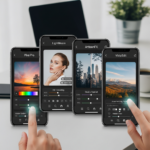
Using the HSL Slider
In apps like Adobe Lightroom or Lightroom Mobile:
- Hue: Change the “kind” of color (e.g., turning a lime green into a forest green).
- Saturation: Control the intensity of the color.
- Luminance: Control the brightness of a specific color.
Color Grading / Split Toning
This allows you to add a specific color to the highlights and a different color to the shadows. For an “Analogous” theme, you might add yellow to the highlights and orange to the shadows.
Common Mistakes to Avoid
As a beginner, it is easy to overdo it. Avoid these pitfalls:
- Over-saturation: Making colors so bright they look “nuclear” or unnatural. It loses detail in the textures.
- Ignoring Skin Tones: When editing a color theme, ensure you don’t make the subject’s skin look green or purple (unless that is the artistic intent).
- Clashing Colors: Not every color goes together. Use a color wheel tool to check compatibility before the shoot.
Conclusion
Mastering color themed photo ideas is a journey of observation and experimentation. By understanding color theory, planning your shoots with intention, and refining your images through post-processing, you can create a visual identity that resonates with your audience.
Start small. Pick one color this weekend and try to capture five different subjects using only that color. You will be surprised at how much more you notice in the world when you are looking through a specific “color lens.”
Frequently Asked Questions (FAQ)
What is the easiest color theme for beginners?
The Monochromatic theme is usually the easiest. It requires you to find only one color in various shades, which simplifies the decision-making process during the shoot.
Do I need an expensive camera for color photography?
No. Most modern smartphones have incredible sensors that capture colors accurately. The key is in the lighting and composition, not the price of the gear.
How do I find a color theme that suits my style?
Look at your previous photos. Do you naturally gravitate toward bright, airy scenes or dark, moody ones? Your natural preference will often point you toward a specific color palette, such as pastels or earthy tones.
What software is best for color grading?
Adobe Lightroom is the industry standard. However, for beginners, mobile apps like Snapseed or VSCO offer powerful color adjustment tools for free.
Can I use color themes in Black and White photography?
Technically, Black and White is a monochromatic theme. In this case, you are focusing on contrast, shadows, and highlights rather than hues. It is a great way to learn about tonal values.